 Midgard Roads
What's New in Midgard Roads: Sound, Five Languages and a Better Phone Layout
Play now Free · 2–5 players · no download, no sign-up
Here is what Midgard Roads can do as of 23 October 2026. We will keep adding to this list.
Five languages
The whole game — menus, messages and the rules page — is available in Thai, English, Simplified Chinese, Japanese and Korean. The language follows your browser and can be changed any time.
A phone layout that gives the board room
On a phone, the board now takes most of the screen. A slim guild strip shows turn order, scores and how many adventurers each guild still holds; tap it for the full details. The hand bar at the bottom shows your tile and the actions for your turn.
Sound and music
Sound effects are small 8-bit style cues made right in the browser: a chime when your turn starts, soft clicks as tiles go down, and a coin jingle when you score — bigger for more points. There is a speaker button to mute or change the volume, and your choice is remembered on that device.
A quiet background track plays on the home page and on account and public-lobby screens. Private lobbies and games stay silent. You can also opt in to browser notifications for your turn.
Live scoring animation
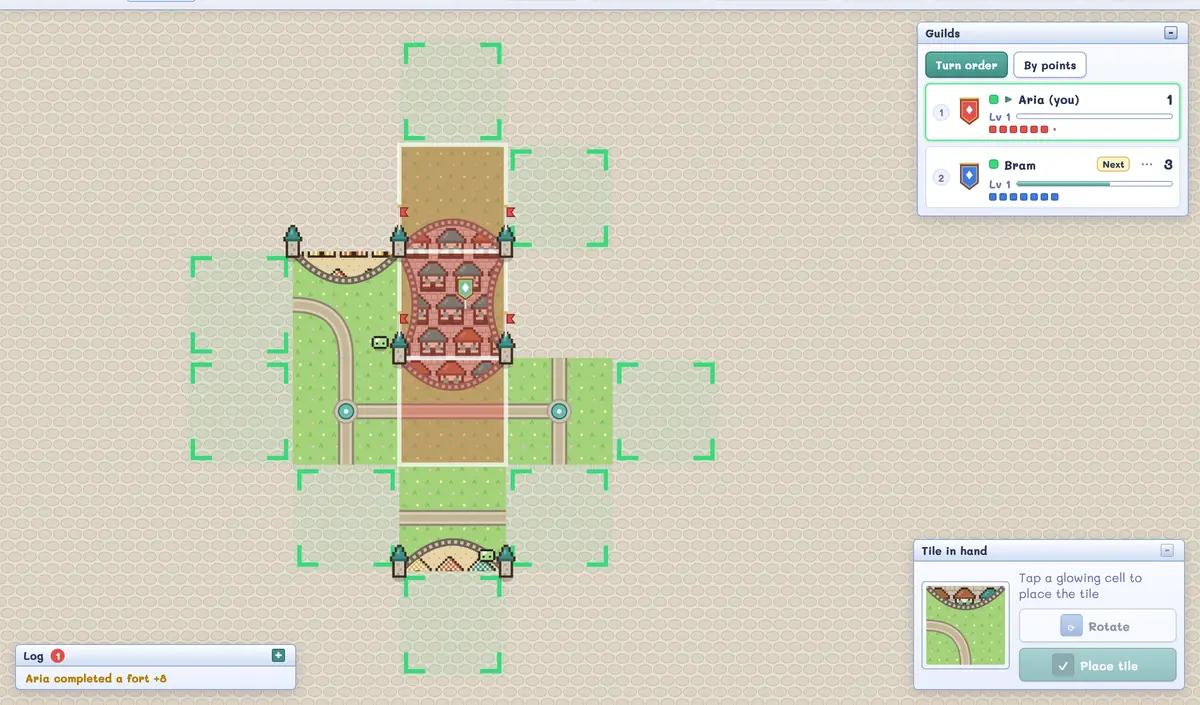
When a fort, road or dungeon is completed, it lights up in the winner's colour, the points float to the guild's score, and the adventurers hop up and fly home to their owner. You can see at a glance that you have a piece back.
Easier sharing
In the lobby you can copy the room link, use your phone's Share sheet, or show a big QR code that a friend can scan. On your Friends page there is also a QR code for adding you as a friend.
Public rooms, Town Square and rankings
- Public rooms: a signed-in host can open a room that anyone can see and join, and Find players puts you into an open one.
- Town Square: one shared chat on the home page. Everyone can read; posting needs a sign-in.
- Worldwide ranking on the home page, visible without signing in.
A simpler home page
The home page now has three clear choices: create a room, find players, or enter a room code, with a three-step reminder of how the game plays. Sign-in is optional and stays out of your way.
More options for hosts
- River start — see the river start guide.
- Turn timer — unlimited, 30, 60, 90 seconds or 2 minutes.
- Kick and skip tools for hosts if a player disappears.
Newer: guild colours, game length, room names and friend invites
Guild colours. In the lobby you can pick your guild's colour from eight. A colour someone else already has is not available.
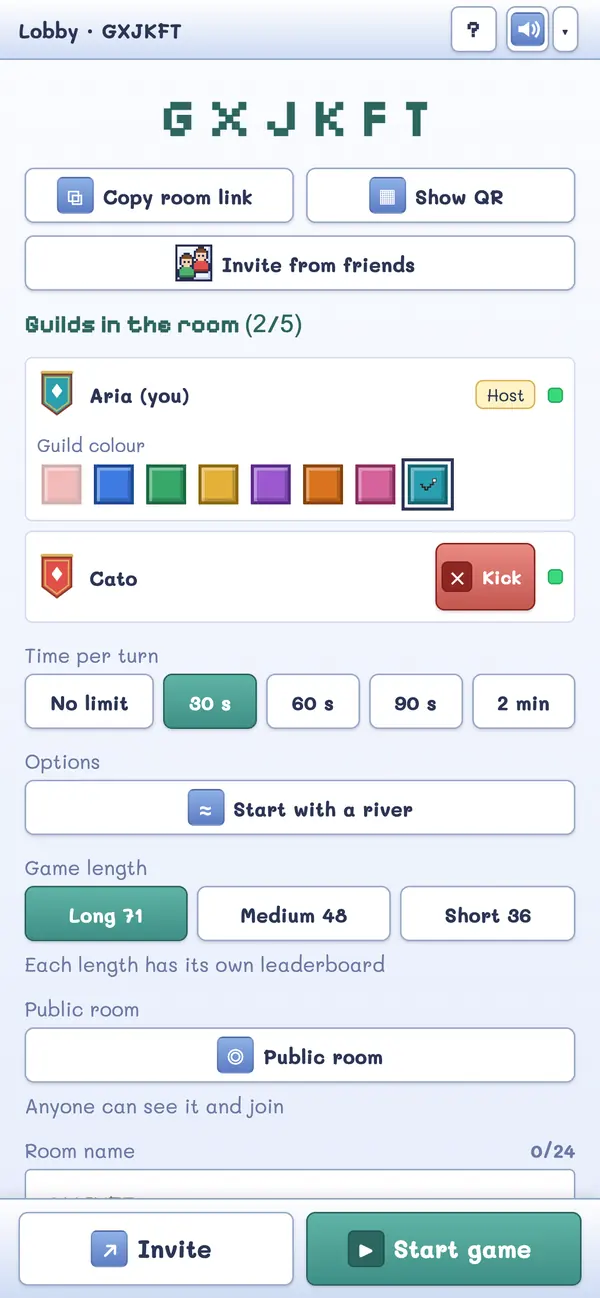
Game length. The host chooses Long, Medium or Short: 71, 48 or 36 tiles to draw. Each length has its own ranking, so a quick game never mixes with a long one.
Room name and password. A room can have a name of up to 24 characters and, if the host wants, a password of 4 to 32 characters. The link and the QR code do not carry the password.
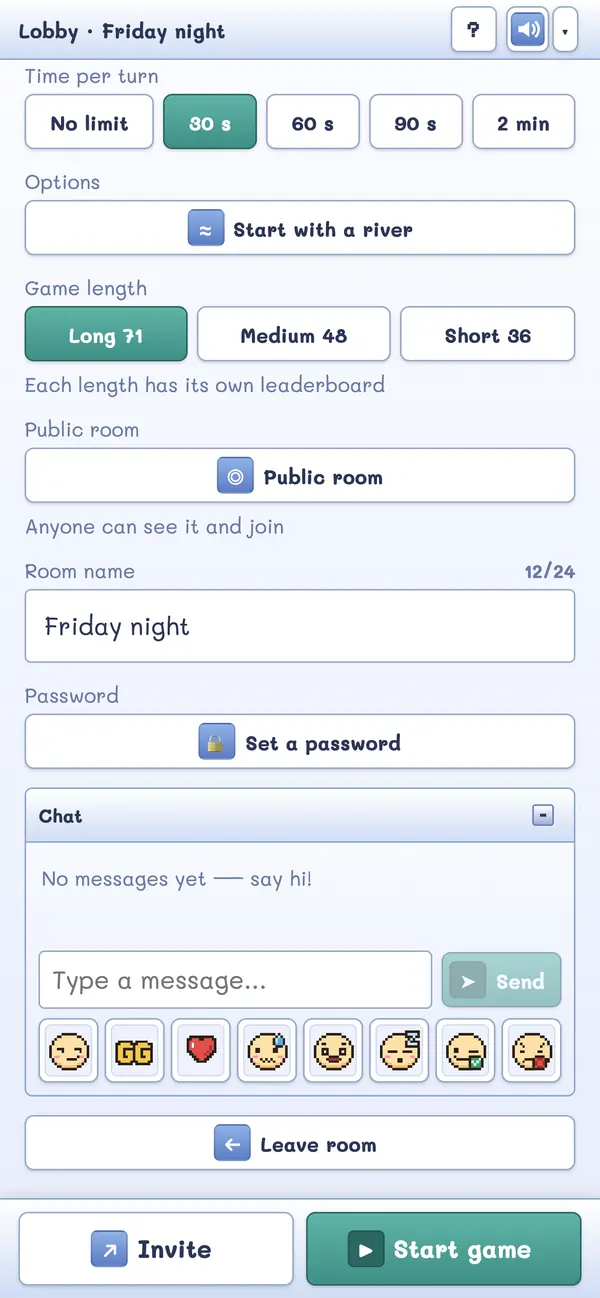
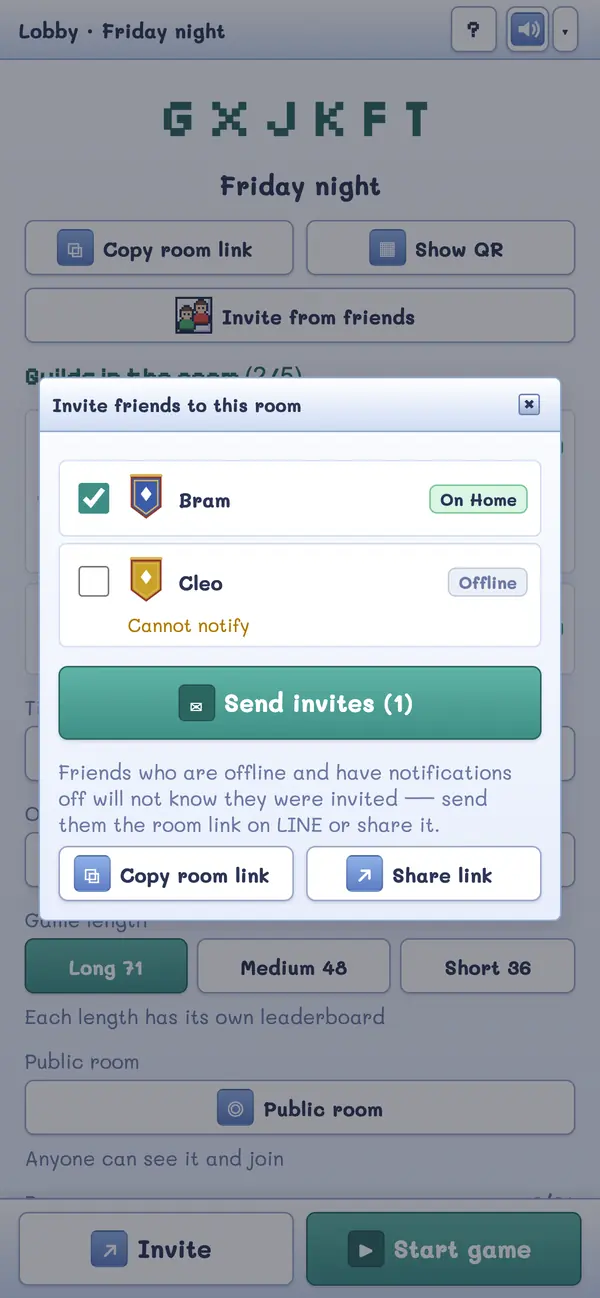
Friend invites. Signed-in players can invite friends from their list straight from the lobby. The details are in the guide to playing with friends online.
Where to start
New here? Read how to play. Planning a night with friends? See the game night guide.
Play now Free · 2–5 players · no download, no sign-up