 Midgard Roads
Free Online Board Game to Play With Friends — No Download, No Sign-Up
Play now Free · 2–5 players · no download, no sign-up
Looking for a free online board game you can play with friends tonight, without anyone installing anything or making yet another account? That is exactly what Midgard Roads is built for. It is a tile-laying board game for 2 to 5 players that runs in a normal browser tab.
Is it really free and without sign-up?
Yes. Playing is free, and you do not need an account to play. Pick a guild name (a nickname), create a room and you are in.
Signing in with Google is optional. It is only needed for things that must remember who you are: your stats, friends, the ranking, opening a public room, and posting in the Town Square chat. You can read the Town Square and see the worldwide ranking without signing in.
How do I start a game with friends?
- Open the game and tap Create a room to play with friends.
- Share the room: tap Copy room link, use the Share button (on a phone it opens your share sheet — pick your messaging app), or show the QR code so a friend sitting next to you can scan it.
- Friends who open the link type a guild name and are in. Prefer words? The room also has a 6-character code.
- When 2 to 5 players are in the lobby, the host taps Start game.
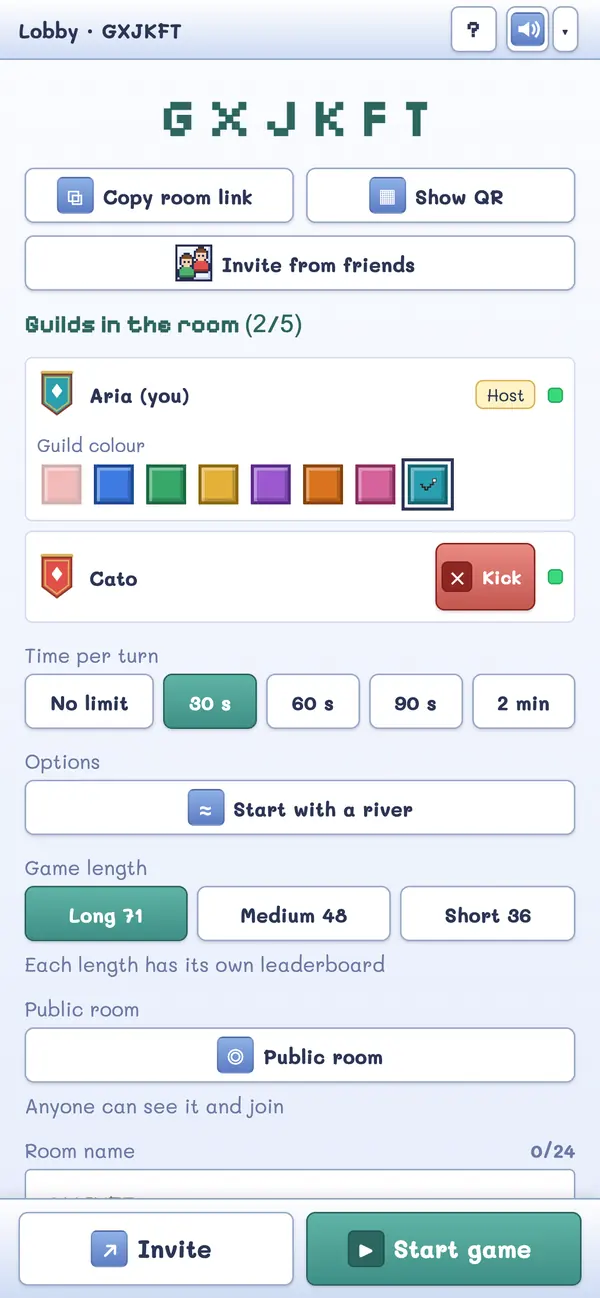
That is the whole setup. No friend needs to download anything.
Signed in, with friends on your list? Tap Invite in the lobby, tick the friends you want and send. A friend who is on the home page sees an invitation card; one who is offline and has allowed notifications gets a single notification; and a friend busy in another game only sees a small red dot, so nobody is interrupted.
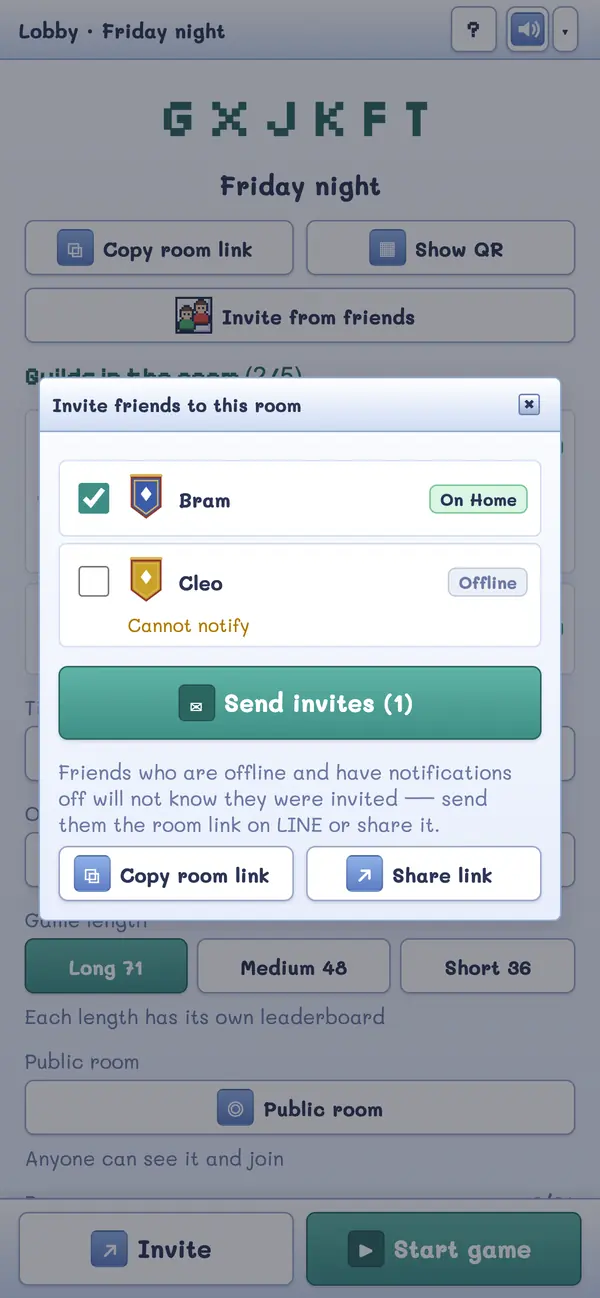
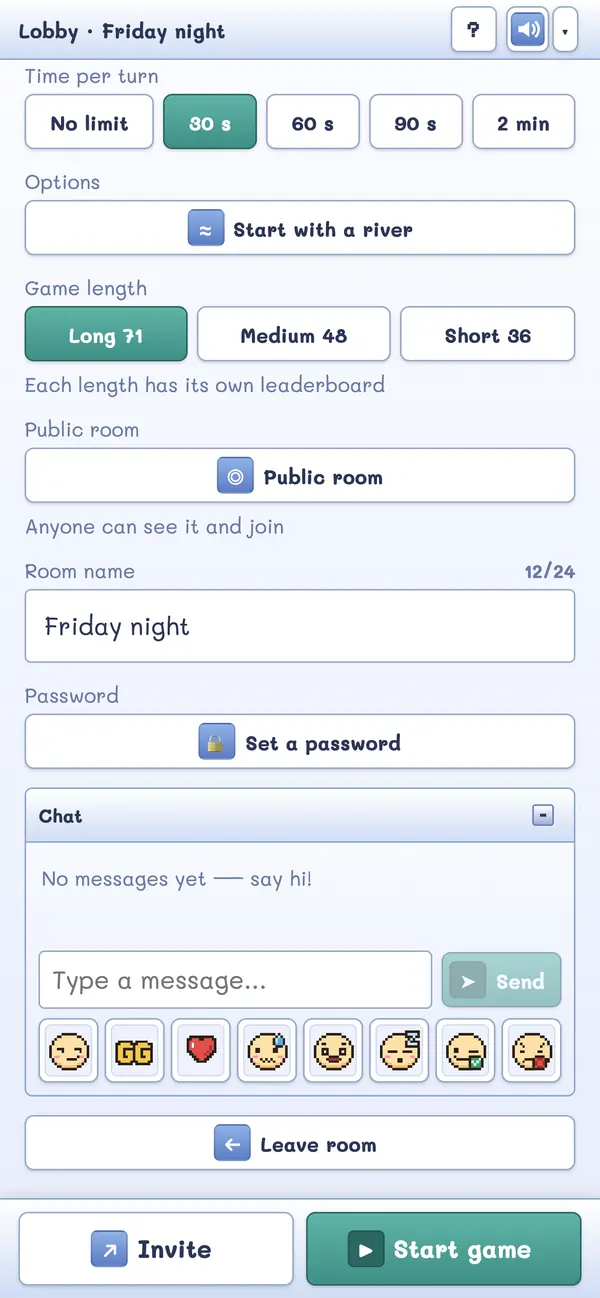
Want a room your friends can find again? The host can give the room a name (up to 24 characters) and a password (4 to 32 characters). The link and the QR code do not include the password, so tell your friends separately; friends you invite from your list skip it.
Does it work on a phone?
Yes — the game is designed for phones as well as desktops. On a phone the board gets most of the screen, and a slim strip shows turn order, scores and how many adventurers each guild has left. Tap the strip for the full details.
You can also install it like an app: where your browser supports it, use the Install app link on the home page; on an iPhone tap Share and choose Add to Home Screen. It still needs an internet connection to play, because the game is online.
How many people can play?
From 2 to 5 players per room. Anyone who joins after the game has started watches as a spectator. If a player's connection drops, the game reconnects by itself and they carry on where they were.
What if I don't have friends online right now?
Tap Find players: it puts you into an open public room if there is one. Opening your own public room requires a Google sign-in, which keeps spam out. The home page also has a Town Square — one shared chat where you can say hello and invite people to your lobby (posting needs a sign-in).
Which languages does it speak?
Thai, English, Simplified Chinese, Japanese and Korean — both the game and the rules page. The game picks the language from your browser, and you can switch it any time.
How long does a game take?
The pile has 72 tiles, so a full game is a good number of turns. The host can set a turn timer (unlimited, 30 seconds, 60 seconds, 90 seconds or 2 minutes) to keep things moving.
New to this kind of game? Start with the beginner's guide to the rules. Planning a night with friends in different cities? Read the long-distance game night guide.
Play now Free · 2–5 players · no download, no sign-up